Skip to content

It seems like AI is all the rage these days. From emails to TV commercials, this new technology is slowly taking over our lives. None of the AI assistants is more famous than OpenAI’s flagship product ChatGPT. While ChatGPT is the household name that started our obsession with LLMs (large language models) and generative AI tools, it may not be the best fit for you and your projects.
There are plenty of AI tools out there, and they all have different strengths and weaknesses. Here is a breakdown of popular free ChatGPT alternatives, including pros, cons, and what each pricing plan includes.
ChatGPT’s Flaws
You wouldn’t be looking for ChatGPT alternatives if you didn’t think the tool had flaws. Here are some of ChatGPT’s shortcomings to keep in mind when looking for a replacement.
Frequent Hallucinations
Hallucinations are outputs from AI models that contain errors. These errors could stem from several sources in the models, but the two main ones are inaccurate training data and a lack of built-in truth-checking of outputs. These hallucinations can range from a small typo to a blatantly incorrect answer to a query.
While with every update, ChatGPT has gotten better and better about its hallucinations, hallucinations still occur regularly. It is important to note that hallucinations can occur with any AI tool, but ChatGPT appears to be more prone to hallucinations than others.
AI Writing Style
If I gave you two pieces of writing, one that a human wrote and one by ChatGPT, I’m confident you could pick out the ChatGPT one. This is because the model sounds robotic, is long-winded, and uses em dashes (–) often. This writing style makes it hard to use any ChatGPT outputs without first rewriting them.
Lack of Integration
ChatGPT is a great overall tool that can complete many tasks, but it has no integration with the apps people use to get work done. The lack of integration requires users to manually move outputs from the ChatGPT app to their other apps, and vice versa.
Claude
Developed by Anthropic, Claude has quickly become the go-to for users who find ChatGPT’s writing style predictable and robotic. If you are looking for an alternative that feels more human and less “AI-generated,” Claude is the right tool for you.
Pros:
- More human-like reasoning when compared to other AI tools
- Avoids the “repetitive” tone of other AI models, providing more natural-sounding outputs.
- Massive memory capacity, which allows you to upload a large amount of documents at a time.
Cons:
- The free tier is limited during peak hours.
- No image generation.
- Poor integration with live web data, which means that outputs could be out of date.
What the Free Plan gets you:
- Access to Sonnet, the mid-tier model that balances high-level reasoning with speed.
- Standard AI chatbot functionality with a daily prompt cap (around 15-20 messages).
Paid Plan Benefits:
- Access to the high-performance “Opus” model
- The ability to save “Projects” to keep your brand assets and templates organized
- Exclusive early access to experimental features like “Extended Thinking mode”.
Google Gemini
If your business runs on the Google ecosystem (Google Docs, Sheets, Slides, etc.) Gemini is the tool for you. Integration with the other Google apps is effortless, allowing beginners to utilize the tool quickly. Since Google Search powers Gemini, it has access to the vast data library the Google search engine has built over the last 3 decades, giving it a major leg up on other tools.
Pros:
- Seamless integration with Gmail, Docs, Slides, and Sheets, which allows for instant data retrieval and referencing.
- Powered by Google Search, giving users the most up-to-date outputs among AI tools.
- Image, text, and video content generation.
Cons:
- Uses your data to train future models, which could pose privacy concerns for some users.
- Struggles to replicate a specific writing style as effectively as Claude, leading to some outputs sounding robotic.
What the Free Plan gets you:
- Access to the “Flash” model, which is optimized for speed and high-volume tasks.
- Basic ability to pull information from your personal Google apps.
Paid Plan Benefits:
- Access to the 3 Pro model, which does better with complex tasks.
- Access to “Deep Research” mode that offers real-time browsing and analysis of hundreds of websites for in-depth reports.
- 10x more AI credits to use on image and video generation.
- AI drafting tools built directly into the interface of Google Docs and Gmail.
Microsoft Copilot
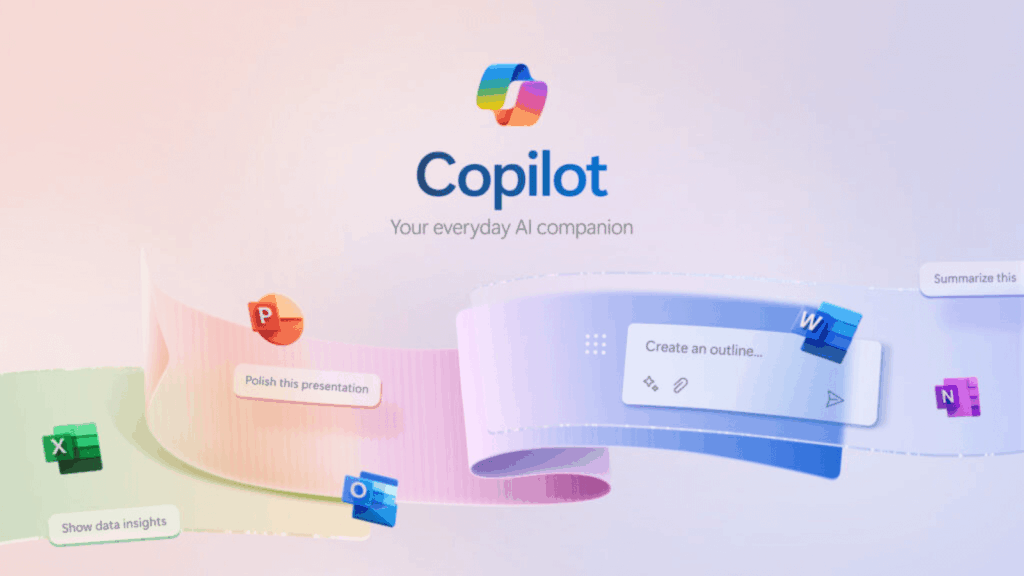
If your company runs on the Microsoft Suite (Excel, PowerPoint, and Word), Copilot is the AI tool built for your workflow. Copilot is powered by Bing search, enabling it to retrieve up-to-date information from web data. Copilot uses the same technology from OpenAI, so the tool is similar to ChatGPT, just backed by the search power of Bing.
Pros:
- Microsoft Office integration makes Copilot the only tool that can build a full PowerPoint deck or Excel spreadsheet from a user’s text prompt.
- High-level data protection to ensure your data stays within your organization and isn’t used to train future models.
- Powered by Bing search to ensure outputs are up-to-date and include proper citations.
- Image generation through the DALL-E 3 model.
Cons:
- Must be 100% committed to using the Microsoft Office workspace to get the full value.
- Some users report that the integration within Office apps can be overwhelming and the interface cluttered.
What the Free Plan gets you:
- Standard AI chat and web search capabilities during non-peak hours through the GPT-4 model.
- Basic image generation with a limited number of “boosts” per day, AI-powered by the DALL-E 3 model.
Paid Plan Benefits:
- Priority Access to the latest GPT-4 models.
- Unlocks the Copilot AI features inside Word, Excel, and PowerPoint.
- Access to Copilot studio, which allows users to create custom AI agents that can automate tasks and answer questions using your company’s data, systems, and processes
Perplexity
Perplexity is the best AI tool for brainstorming and summarizing research. Where the other AI models listed will first turn to the data they have been trained on, Perplexity will pull real-time data from reputable news sites, blogs, social media, academic databases, and industry reports to provide users with up-to-date answers in concise summaries.
Pros:
- Every output includes citations to the source, allowing users to fact-check everything the model says
- Each query is paired with the AI model best suited to address the user’s questions and follow-ups.
- Essentially, there are no hallucinations that other tools can produce because every output is backed by a source.
Cons:
- The model struggles with creative content creation.
- Greatly limited image generation for free plan users.
What the Free Plan gets you:
- Unlimited quick searches with real-time web data.
- 5 Pro searches per day, with access to the tool’s deeper research capabilities.
Paid Plan Benefits:
- Unlimited Pro Searches.
- Unlimited file uploads for deep data analysis of your assets.
- AI Image Generation with access to DALL-E directly within the interface.
Meta AI
Meta AI is the tool designed to streamline your social media efforts. Meta AI is integrated directly into WhatsApp, Instagram, and Facebook. Meta’s tool helps users through features such as DM tools, story content editing, and AI image generation.
Pros:
- No current “Pro Plan” is required for most of its powerful features.
- Creates high-quality AI-generated images in seconds using their EMU model.
- User-friendly and accessible inside the apps you already use on Android and iOS.
Cons:
- Not designed for complex business workflows, more geared to one-off tasks.
- Lacks the memory found in other AI tools.
What the Free Plan gets you:
- Unlimited chat, real-time search, and image generation across Meta platforms.
- High-quality conversational AI for hands-free queries utilizing voice interactions.
Paid Plan Benefits:
- (At the time of writing this, the free version is the only option. Meta is still testing a paid service, with rollout expected to begin in 2026.)
Key Takeaways
Now that we’ve covered the best ChatGPT alternatives and their pros, cons, and what each tool offers, I hope you have a clearer idea of which tools to use for which projects. Note that developers regularly fine-tune these tools, so stay up to date on new features to see whether they better address your needs.
While all of these tools are great in their own way, it is important to remember they are tools, so use them as such. All of the models can produce hallucinations, so you must take any outputs with a grain of salt.
As more users adopt these AI tools, it is important that your business remains visible. Staying visible in the age of AI is complicated. If you don’t want your business to get left in the dust as users migrate from traditional search to AI search, connect with us. Digital Strike – Targeted Marketing has the solutions your business needs to stay in front of customers in this new age of search.