Skip to content


Everyone knows that search engine optimization, or SEO, affects search rankings. But not everyone knows that user experience (UX) can affect SEO and, by extension, rankings and traffic. Here’s how… as well as what SEO and UX metrics to consider for improving your site.
What is UX (User Experience)?

Let’s back up. What exactly is user experience?
You know when you go to a website and it’s just… bad? You can’t find the navigation menu, the page isn’t loading correctly, and pop-ups are keeping you from seeing the page at all. That’s a bad user experience (UX).
A user experience designer works to enhance user satisfaction with a website by improving the accessibility, usability, and pleasure provided in the interaction with the site. You’re not supposed to notice good user experience design. You just find the information you want and leave satisfied—a complete user journey with no obstacles, so to speak.
Can UX Impact Search Rankings?
Websites with a poor UX design will see people exit the site unsatisfied; they’re going to find a better site that can give them what they want. Google will take notice of this dissatisfaction and push the first site lower in search results and the second site higher.
That means that UX can directly impact search rankings, which in turn can influence SEO strategy.
Search Engine Algorithms’ Role in Web Design

Google’s core purpose is to provide the best possible results for every search query. While “best” is a subjective term, Google has a pretty good idea of the kinds of pages and sites that will satisfy its searchers.
Here are what those sites tend to have in common. They:
- Are easy to use, navigate, and understand
- Provide direct, actionable information relevant to the query
- Are professionally designed and accessible to modern browsers
- Deliver high-quality, credible website content
Google’s ranking algorithm is complicated (there are hundreds of ranking factors), but Google is paying attention to your user experience more than you may think, which can directly affect SEO rankings. The four points mentioned above, for instance, are all in the realm of UX design as well as SEO.
Does UX affect SEO?
The short answer: Yes.
The long answer: Yes.
Here’s how.
Google pays attention to user experience because it’s how Google measures if a site was helpful or not (and Google is all about rewarding helpful content). If users immediately click away from the first choice on the organic search engine results page (SERPs) and then visit the second choice, that first result is likely going to rank lower eventually because it didn’t provide the experience the user wanted.
So while SEO might have placed the site first in SERPs initially, poor UX drove users away and eventually penalized the site. In other words: getting users to a website is only part of the process. You have to keep them there with good content and an easy user experience.
4 SEO and UX Elements
In digital marketing, it’s rare for SEO to not touch something somehow. Everything affects SEO and SEO affects everything.
That means that there are elements of UX that are in the SEO realm and vice versa, especially in regards to the following elements.
1. Page Speed
The longer it takes a website to load, the greater the odds users will leave your site.
Slow loading times is a UX problem because a slow site will frustrate your users. It’s an SEO problem because page speed directly influences your search engine rankings. When you resolve the issue, it’ll help both SEO and UX teams.
Way to boost page loading speed include:
- Optimizing images
- Enabling caching
- Reducing HTTP requests
Tip: Google’s PageSpeed Insights can offer suggestions for improving site speed and functionality.
2. Mobile Friendliness
Google’s search algorithm uses mobile-first indexing, meaning it prioritizes indexing the mobile version of a site, which means the mobile version of a site is prioritized for search result purposes. In practical terms, that means that any site that doesn’t accommodate mobile users with a responsive design on mobile devices is likely going to fall in search results. Mobile-friendly sites, by contrast, can see boosts in rankings.
3. Internal Linking
Internal linking is more than just a technical SEO element. It becomes an element of UX when people use the links to find more information and learn more about specific topics. The links need to have accurate anchor text (preferably with a relevant keyword) so the user will know what to expect when clicking the link.
4. Quality Content
Content strategy must be made with SEO and real human users in mind. The content must have good readability and address user needs—aka, match their search intent—if you want your target audience to stay on the site.
Simple ways to increase the readability of your content are to:
- Use headings and bullet points
- Break up content into smaller, more easily digestible chunks
- Add visual content
6 SEO and UX Metrics to Pay Attention To
Metrics that you should pay attention to when developing both SEO and UX strategies include the following.
1. User Engagement Rate
Engagement rate refers to user interactions (clicked, liked, etc.) a post or page receives compared to how many impressions it received (user interactions/impressions x 100).
A poor engagement rate could mean that the original content was poorly optimized for user intent (an SEO issue) or that it looked so awful or boring that people ignored it (a UX or user interface/UI design issue).
2. Bounce Rate
Bounce rate refers to how many people “bounce from” or leave your site without viewing other pages or taking other actions (single-page visits/ total visits x 100).
A high bounce rate could mean poor page speed, an unappealing web design, or failure to meet a user’s needs.
3. Conversion Rate
Conversions refer to how many people took a desired action on your landing page, such as a form sign up, buying a product, or something else. Conversion rate refers to how many conversions an ad or landing page received compared to total interactions with that ad or landing page (conversions/interactions x 100).
A poor conversion rate can indicate a weak call-to-action (CTA) and misunderstanding of user intent (SEO issues) or lack of user-friendly landing pages (UX/UI issue).
4. Organic Traffic
Organic traffic refers to the number of people that visited a site through a search query rather than an ad.
Low organic traffic can mean any number of things: not matching user intent, poor site structure, indexing errors (all SEO issues), or an unappealing URL that users distrust (UX/UI issue).
5. SERP Rankings
SERP rankings are the positions pages occupy on search engine results pages for a query.
Not ranking well in SERPs indicates poor UX and SEO performance, as low rankings can result from a combination of both UX/UI issues (unattractive website, unintuitive layout) and SEO issues (no alt text for images or no high-quality backlinks).
6. Core Web Vitals
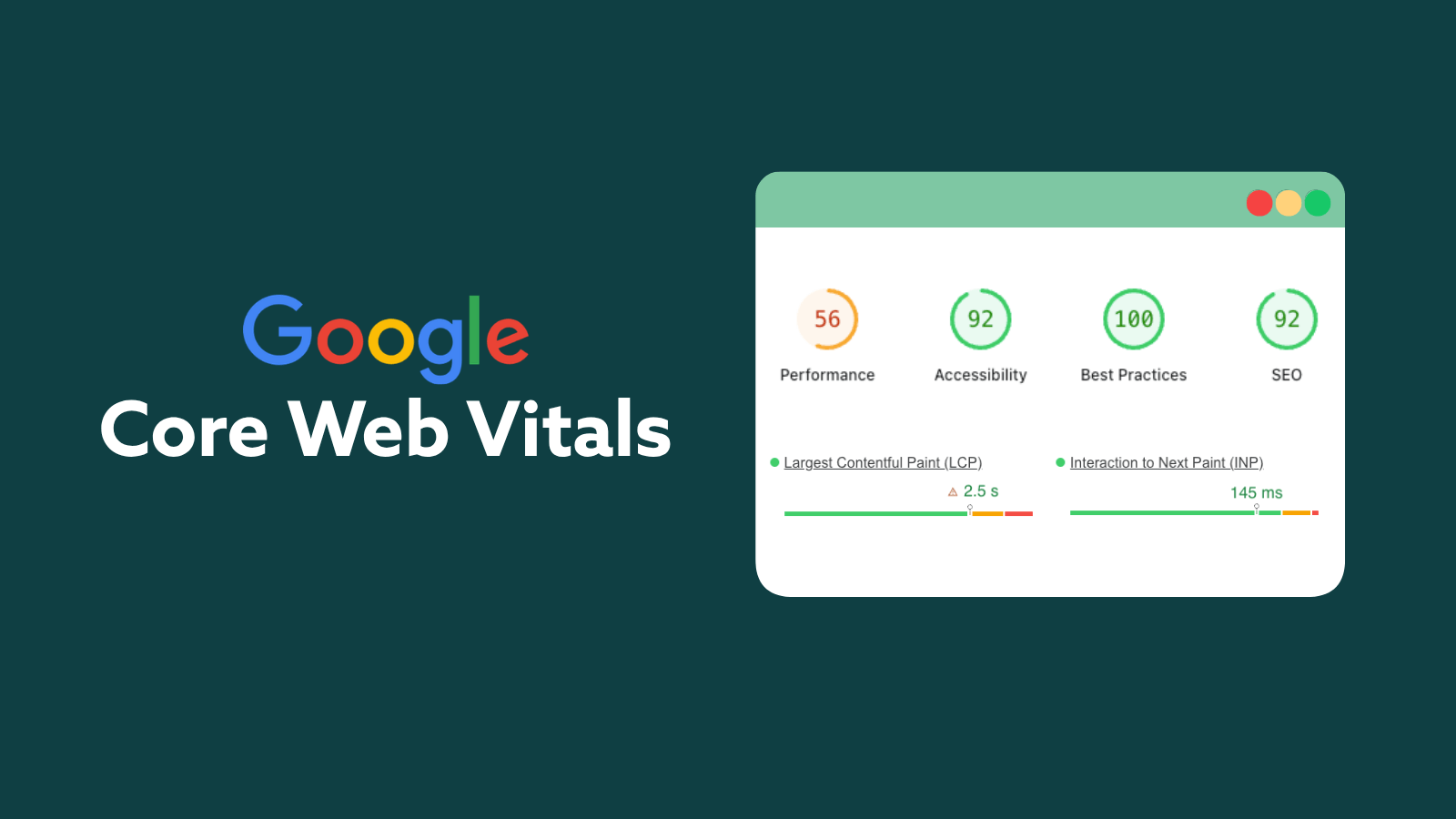
Google Core Web Vitals are scores that help indicate the health of a site, with better scores typically meaning better search rankings and user experiences.
- Largest Contentful Paint (LCP), which measures the loading performance of a web page. LCP should be 2.5 seconds or less.
- Cumulative Layout Shift (CLS), which measures the visual stability of a page. CLS should be 0.1 or less.
- Interaction to Next Paint (INP), which measures how responsive a page is. INP should be 200 milliseconds or less.
The Takeaway

UX best practices and SEO best practices often overlap; SEO and UX should work together to better the website and a user’s search experience instead of operating as independent parts.
If you’re looking to optimize your user experience and SEO strategies, give Digital Strike a call. Consultations are free and our solutions are custom.